





Welcome to the Native Windows Port of the OpenACS system!
Contents
This is Version 1.23 (7th of August 2011) of Windows-OpenACS port and it consists of the following pieces of software:
- aolserver-4.5.1 aolserver-4.5.1 (CVS HEAD of the 05/08/2011) – including
- nssha1 1.1.1.1
- nspostgres 4.1
- nsoracle 2.8a1
- nsopenssl 1.77
- tcl-8.5.10
- tk-8.5.10
- tDOM-0.8.3
- xotcl-1.6.6
- thread-2.6.6
- tcllib-1.13
- tclsoap-1.6.8
- tls-1.6.1
- postgresql-8.2.21-1
- openssl-0.9.8.k
- openacs-5.7.0
- xowiki-0.142
- dotlrn-2.5.0
- External binaries:
a. wget – http://gnuwin32.sourceforge.net/packages/wget.htm
b. convert, cp, cvs, date, diff, ftp, gzip, iconv, ln, ls, mkdir, mv, pdftk, ps, rm, rmdir, sh, shutdown, tar – http://www.cygwin.com
c. htmldoc – http://www.easysw.com/htmldoc/
d. trml2pdf – http://sourceforge.net/projects/kraft/
NOTE: Version 1.23 of WindowsOpenACS has been sponsored by Quest Computing Ltd.
Generation
This port has been generated with Microsoft Visual Studio 2010 Professional Edition.
Compatible Windows Versions
This port works on the following systems: Windows XP, Windows Vista, Windows 7, Windows 8, Windows Server 2003, Windows Server 2008; the port runs natively on both the 32 bit and the 64 bit versions of Windows.
How to get it
Windows-OpenACS can be downloaded here.
Installation Instructions
- Run the Windows installer “windows-openacs.exe“.

- Click “Next” to continue.

- Read the text and agree to it (press the button “I Agree“).

- Select the installation mode (it is better to use the option “Install for anyone using this computer“) and press the button “Next“.

- Select the folder where you want to install the software (blank characters are not allowed) and press the button “Install“.

- Wait for the installer copy all required files and request your permission to continue and then press the “Ok” button to perfom the following steps.

- Wait for the installer to finish the installation of PostgreSQL, create some initial databases, install the Microsoft VC++ 2008 Redistributable, create and set-up the OpenACS and .LRN Windows services. Press the “Ok” button to continue.

- The installer informs you on what to do after reboot. Press the “Ok” button to proceed.

- The installer lets you verify the actions perfomed during the installation. Press the “Next” button to proceed to the reboot section.

- The installer needs to reboot your computer to complete the installation. Press the “Finish” button to reboot your computer.

- After having rebooted the system, wait for 2/3 minutes and then use the Start Menu Commands “Open Dotlrn” or “Open OpenACS” to have access to the applications. In both OpenACS and .LRN there’s a predefined admin user (email: admin@acme.com, password: abc123).
NOTES:
- This Windows-OpenACS installer doesn’t work on a machine where PostgreSQL is already installed. In this case the installer will warn you about the error condition and stop the installation.
- This Windows-OpenACS installer doesn’t work on a machine where Cygwin is installed. In this case the installer will warn you about the error condition and stop the installation.
- The Windows-OpenACS installer installs PostgreSQL, OpenACS and .LRN as Windows services in automatic mode (they don’t need to be started / stopped manually). In case they don’t start automatically, use the commands in the menus of PostgreSQL and Windows-OpenACS to start them.
- Start first PostgreSQL and then either OpenACS or .LRN.
- Stop first OpenACS or .LRN and then PostgreSQL.
- In Vista and Windows 7 the commands to start / stop a service must be run by the administrator. Right click on the menu command and select “Run as administrator“.
Screen Shots

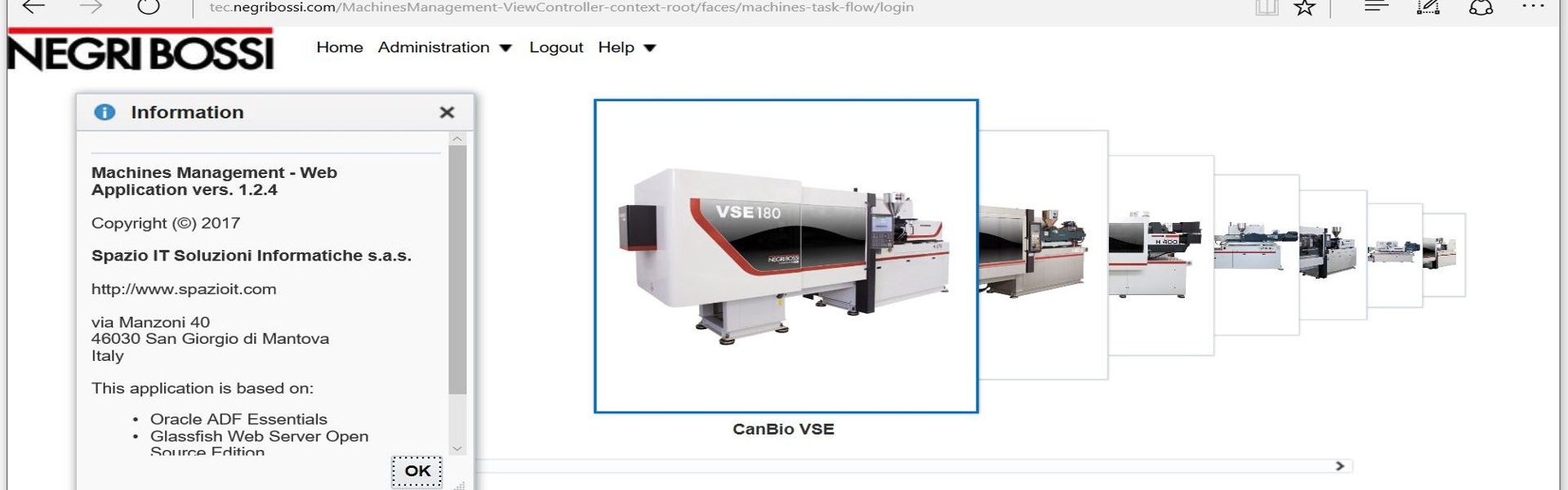
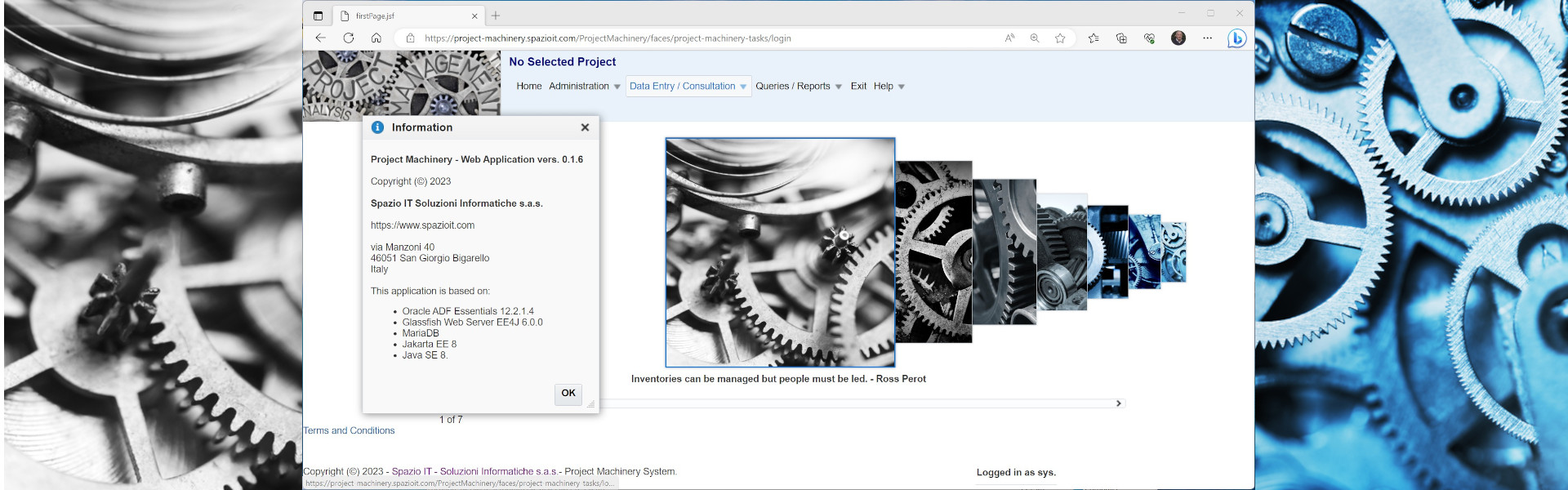
OpenACS Shell

OpenACS Web Interface
Building Instructions
Building and compilation instructions are available here.
Dear Buya,
there’s been a bit of confusion.
I guess the “OpenACS” you are interested in is http://openacs.sourceforge.net/ and it has to do with Devices Management.
This one here is the Windows Port of another “OpenACS” (http://www.openacs.org/).
These two pieces of software have in common only the name and the fact they are open source.
Ciao,
Maurizio
I`ve installed correctly and also runs great but still have not figure it out how to management on tr069 to remote home gateways?
cd C:\aolserver\servers\dotlrn\packages\recursos\sql\postgresql
psql -U postgres openacs < recursos-create.sql
thanks Mauricio but don’t runs, I need execute the same that this command in linux [sudo -u www-data psql -f recursos-create.sql openacs] but in windows.
recursos-create.sql is a file located into
C:\aolserver\servers\dotlrn\packages\recursos\sql\postgresql
thanks so much
Hello Ivan.
PostgreSQL: user/password = postgres/Qwer.1234
Command: psql -U postgres “database name” < “file name”
e.g.
psql -U postgres projop < upgrade.sql
What is the name and password to acces to database installed PostgreSQL? and how i can execute a command to charge a .sql, from a new package? I need execute .sql to mount package if not, the application show me an error, no such key: recursos…
Many thanks.!!
Hello Gonçalo,

plenty of things could be wrong…
you installation did stop I do not know at which point and why…
Anyhow try to set the environment variable
AOLDIR to wherever you installed the software, e.g.:
AOLDIR = C:\aolserver
All the best,
Maurizio
Hi,
I have managed to install the servers manually with the provided batch files butnow I have the following error in the open-acs server :
[23/Apr/2012:12:14:19][3612.7260][-thread7260-] Error: Tcl exception:
can’t read “::tcl_pkgPath”: no such variable
while executing
“foreach Dir $::tcl_pkgPath {
if {$Dir ni $::auto_path} {
lappend ::auto_path $Dir
}
}”
What can be wrong ?
Hi,
nsd.exe crashed during the installation. The services have not been installed. I have Windows 7, 32bits. What can I do now ?
Thanks
I would like thank the support and help of the Maurizio. He’s the guy.
tks
Hello Guardiola,
please email me and we’ll arrange a session (via Teamviewer?) where we try to fix your problem. BTW: please take into account I’m in Italy so we might have some timezone adjustment to make.
Ciao,
Maurizio
Hi,
I’ve big trouble and need yours help. I did uninstallation of Postgresql but when i install openacs appears the message that postgresql is installed. What do make?
tks
Ps: Os Windows 7
I also had an issue with the nsproxy.so module – on 64-bit Windows7. Will try on 32-bit machine and report any differences.
Dear Dev,
you did not specify on which version of Windows you tried to install Windows-OpenACS. Anyhow in case you need any help I will be very happy to provide you with professional support.
Ciao,
Maurizio
I used Admin Rights and tried to run install-service.bat from command with Admin rights, always the same msg.
Log Msg:
[-service-] Notice: nswin32: installing AOLserver-openacs service: “C:\aolserver\bin\nsd.exe” -S -s openacs -t “c:\aolserver\servers\openacs\etc\config.tcl”
[-service-] Error: nswin32: failed to install service ‘AOLserver-openacs’: ‘win32 error code: 1073′
System error 1060 has occurred.
The specified service does not exist as an installed service.
ERROR: Cannot open Service “Aolserver-openacs”! Error code 1060 (0×424)
The system cannot execute the specified program.
[SC] OpenService FAILED 1060:
Hello Amigo, it looks like PostreSQL has not been properly installed or started. Use the menu commands and try:
1. Stop OpenACS and .LRN
2. Stop and Start PostgreSQL
3. Start OpenACS and .LRN
If it still doesn’t work then something went wrong during the installation. Professional support is available.
Hope it helps,
Maurizio
Hello!
When you install Windows-OpenACS, booted up my PC, after booting and waited the required time of 3 min to boot OpenACS and dotLRN.
By accessing the address localhost: 8000 or localhost: 9000 displays the following information on the page:
OpenACS Installation: Error
————————————————– ——————————
Thank you for installing the Open Architecture Community System (OpenACS), the fully-integrated suite of enterprise-class solutions for collaborative commerce. This is the OpenACS Installer Which performs all the Necessary steps to get the OpenACS Community System running on your server.
Please Read the Release Notes before Proceeding to better Understand what is contained in this release.
RDBMS type Could Not Be determined for any pool.
The first step Involved in setting up your OpenACS installation is to configure your RDBMS, the database driver Correctly install, and configure AOLserver to use it. You Can download and install the latest version of the Oracle and Postgres AOLserver drivers from the OpenACS.org Software Page.
Once you’re sure everything is installed and configured Correctly, restart AOLserver.
I would like a help to solve this problem.
Dear Sal,
as I have already mentioned in the OpenACS forum, your antivirus software (AVG) has found a problem in the .js file:
…\packages\acs-templating\www\resources\xinha-nightly\plugins\QuickTag\tag-lib.js
I believe you found a false positive.
tag-lib.js uses javascript encryption to make the size smaller; this is called “compression”. Even though some trojans use this technique, it does not inherently mean a security issue. In this case, the tag-lib.js file does not contain any trojan and is meant to be that way.
If you still feel uncomfortable, you can of course delete that file – it is only required for a specific feature of the Xinha WYSIWYG editing component (“QuickTags”).
Hope this helps,
Maurizio
hello,
i downloaded your windows version of openacs. avg antivirus claims to have found js/obfuscated virus. has anyone else found such a virus? are you sure the installation is not infected? is this a false positive?
thanks
Dear Shedi,
I tried to activate the NsProxy module and it worked fine, could not replicate you error situation. Could you please send me a copy of your config.tcl file? Is it a Win32 installation or a Win64?
Thanks in advance,
Maurizio
BTW: Merry Xmas!!!
when i add the nsproxy.so module to config file nsd.exe crashes with following error upon startup:
nsproxy.so: win32 error code: 127
Dear Arno,
Windows-OpenACS Version 1.21 should have fixed the problems you described in your comment.
Hope it helps,
Maurizio
Hi,
I ran into problems installing Win32-OpenACS on WinXP 32, SP3:
the services aren’t installed. The installation protocol says at the end:
Installing OpenACS and .LRN Services…
The system cannot execute the specified program.
[SC] OpenService FAILED 1060:
The specified service does not exist as an installed service.
System error 1060 has occurred.
The specified service does not exist as an installed service.
ERROR: Cannot open Service “Aolserver-openacs”! Error code 1060 (0×424)
The system cannot execute the specified program.
[SC] OpenService FAILED 1060:
The specified service does not exist as an installed service.
System error 1060 has occurred.
The specified service does not exist as an installed service.
ERROR: Cannot open Service “Aolserver-dotlrn”! Error code 1060 (0×424)
OpenACS and .LRN Services installed.
Completed
When I try to execute “install_service openacs .”
the error “The system cannot execute the specified program” occurs. It seems to be a problem with nsd.exe.
Any suggestions?
hello, after install openacs, i have this message when i open (Starts Openacs):
Le nom de service n’est pas valide.
Vous obtiendrez une aide supplémentaire en entrant NET HELPMSG 2185.
Appuyez sur une touche pour continuer…
Hello Cristian,
in point 11 of the installaton procedure you can find the follwing text: ” In both OpenACS and .LRN there’s a predefined admin user (email: admin@acme.com, password: abc123).”
Hope it helps,
Maurizio
What is the admin password for dotlearn?.
Thanks from Chile.
Dear Franz,
the Windows Error 1073 implies that the service has already been installed. Did you try to install/uninstall more than once?
Did you run the installation/unistallation procedures from beginning to end?
Please send me an email (look at the contacts page) if you need any help.
Unable to install on Windows7/64 bit. I used Admin Rights and tried to run install-service.bat from Command with Admin rights, always the same msg.
Log Msg:
[-service-] Notice: nswin32: installing AOLserver-openacs service: “C:\aolserver\bin\nsd.exe” -S -s openacs -t “c:\aolserver\servers\openacs\etc\config.tcl”
[-service-] Error: nswin32: failed to install service ‘AOLserver-openacs’: ‘win32 error code: 1073′
Please ignore, I just rtfm.
What is the default email and password for acs-admin?